JuiceBox icon

JuiceBox

Your EV's favourite charging app. Log sessions, monitor costs, and actually understand what you're spending. All from your pocket in one app.

Download on the App Store See how it works
Watt's it all about

Simple. Honest. No faff.

Plug in your EV

Let it charge overnight after a long day. No need to open the app yet.

Open over breakfast

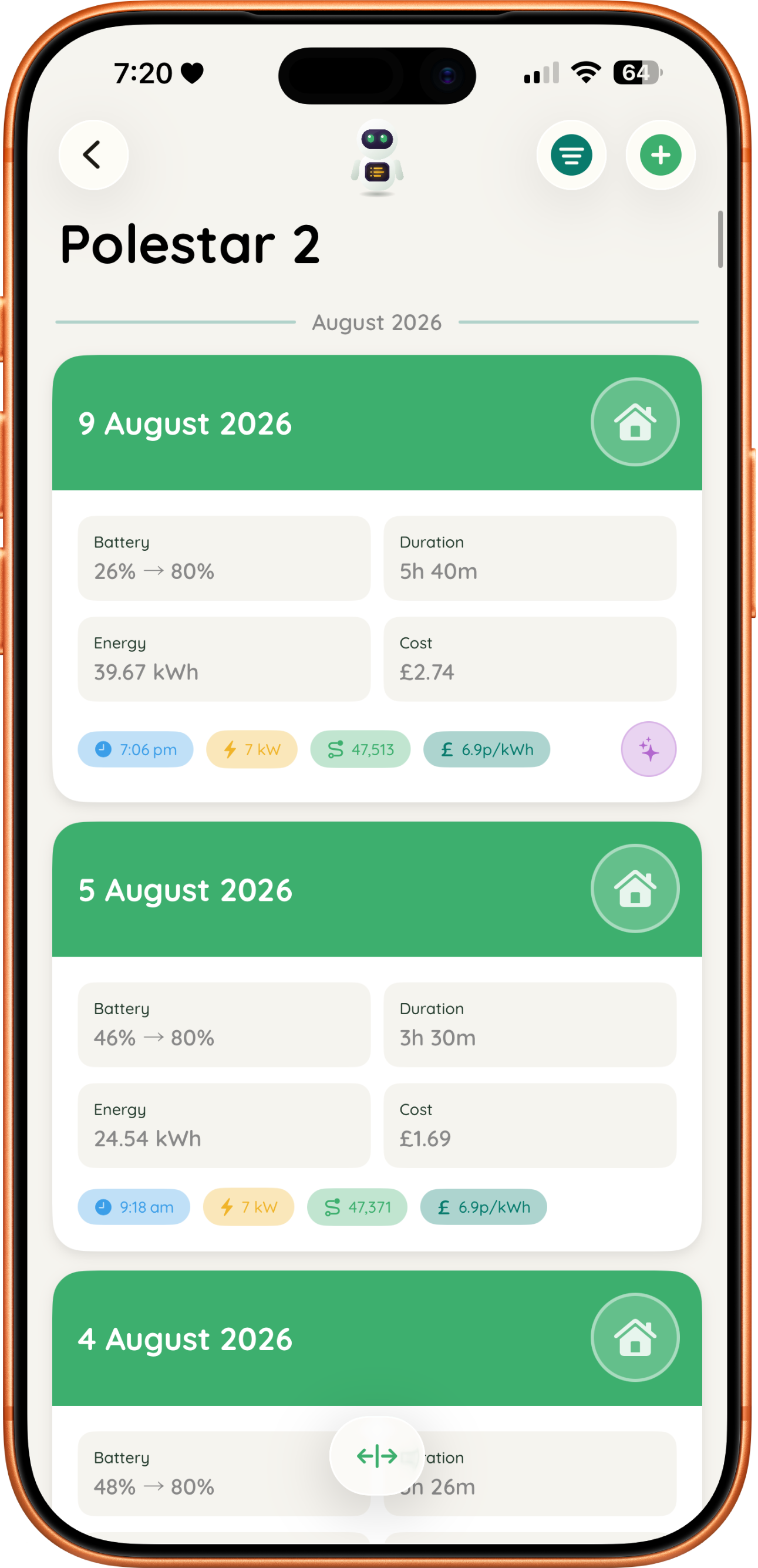
Log your session in seconds. kWh added, charge percentage, cost per kWh. Done.

JuiceBox does the maths

Cost per charge, charging time, cost per mile, and how it all adds up over time.

Out of the box

Start free, always free

No subscription needed, and no cap on what you log. These features are yours, forever.

Features marked Coming soon arrive in JuiceBox 1.3

One vehicle monitoring

Track one EV for free. Upgrade anytime for more.

Charge time calculator

Estimate charge time using your battery size, speed, and target percentage.

Coming soon

Unlimited session logging

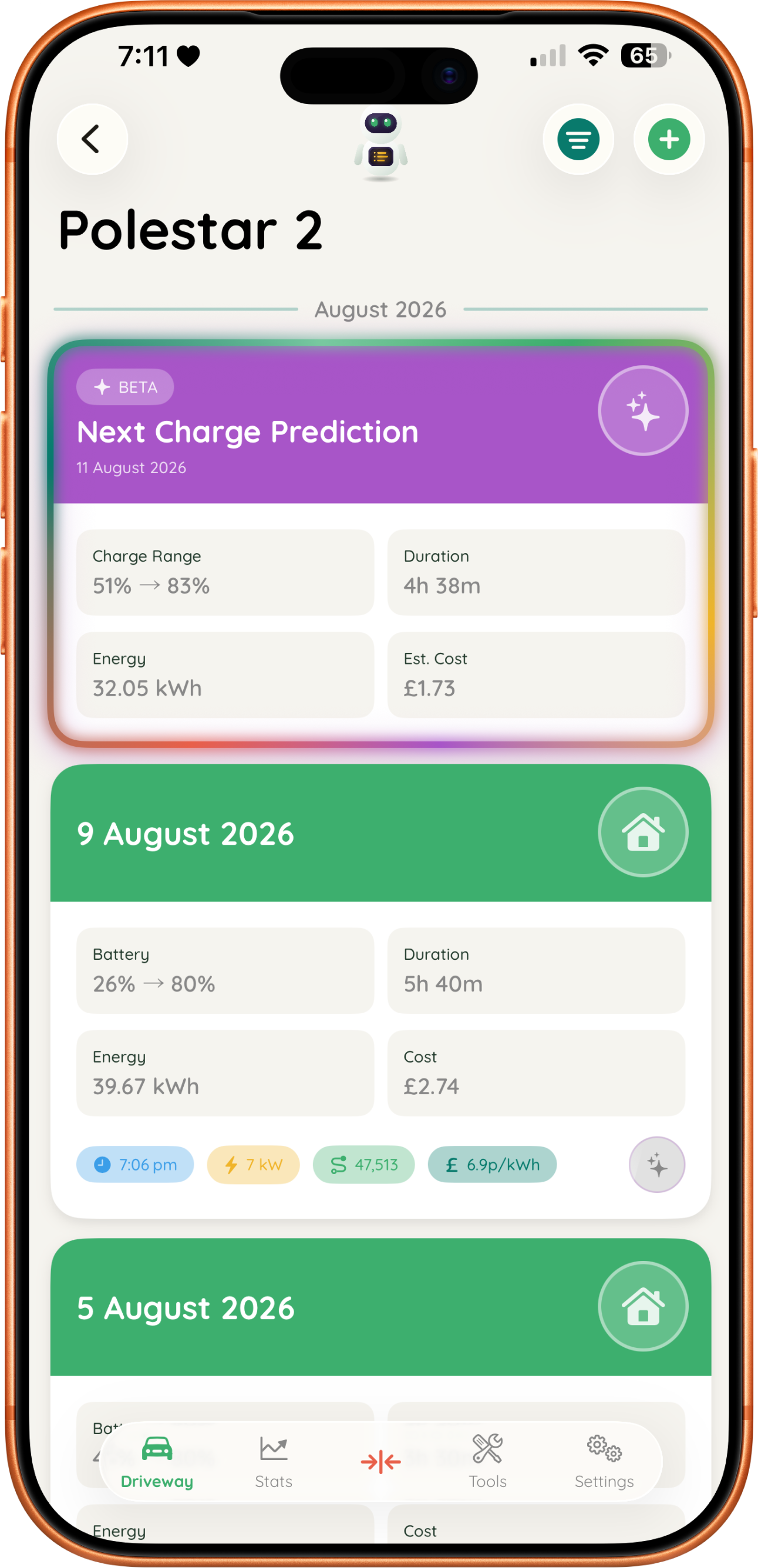
Log as many charging sessions as you like. Your whole history stays visible, and your stats, widgets and Apple Watch use every single one.

Coming soon

Widgets

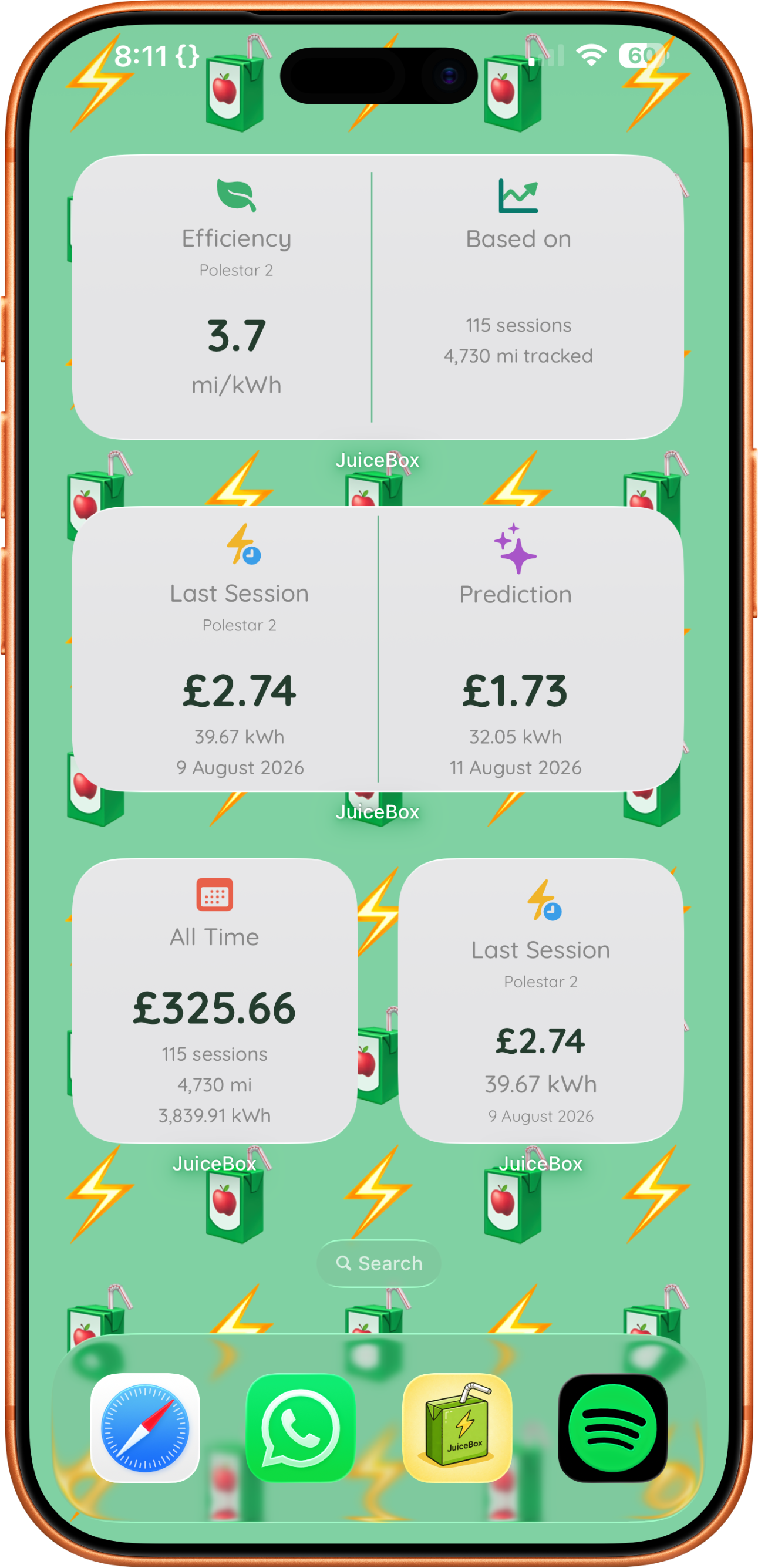
Home screen and lock screen widgets for glanceable charging history, all redesigned to match the app. Two new ones in 1.3: Recent Sessions, with a button to log a charge, and Running Costs, showing what's due next.

Simple stats

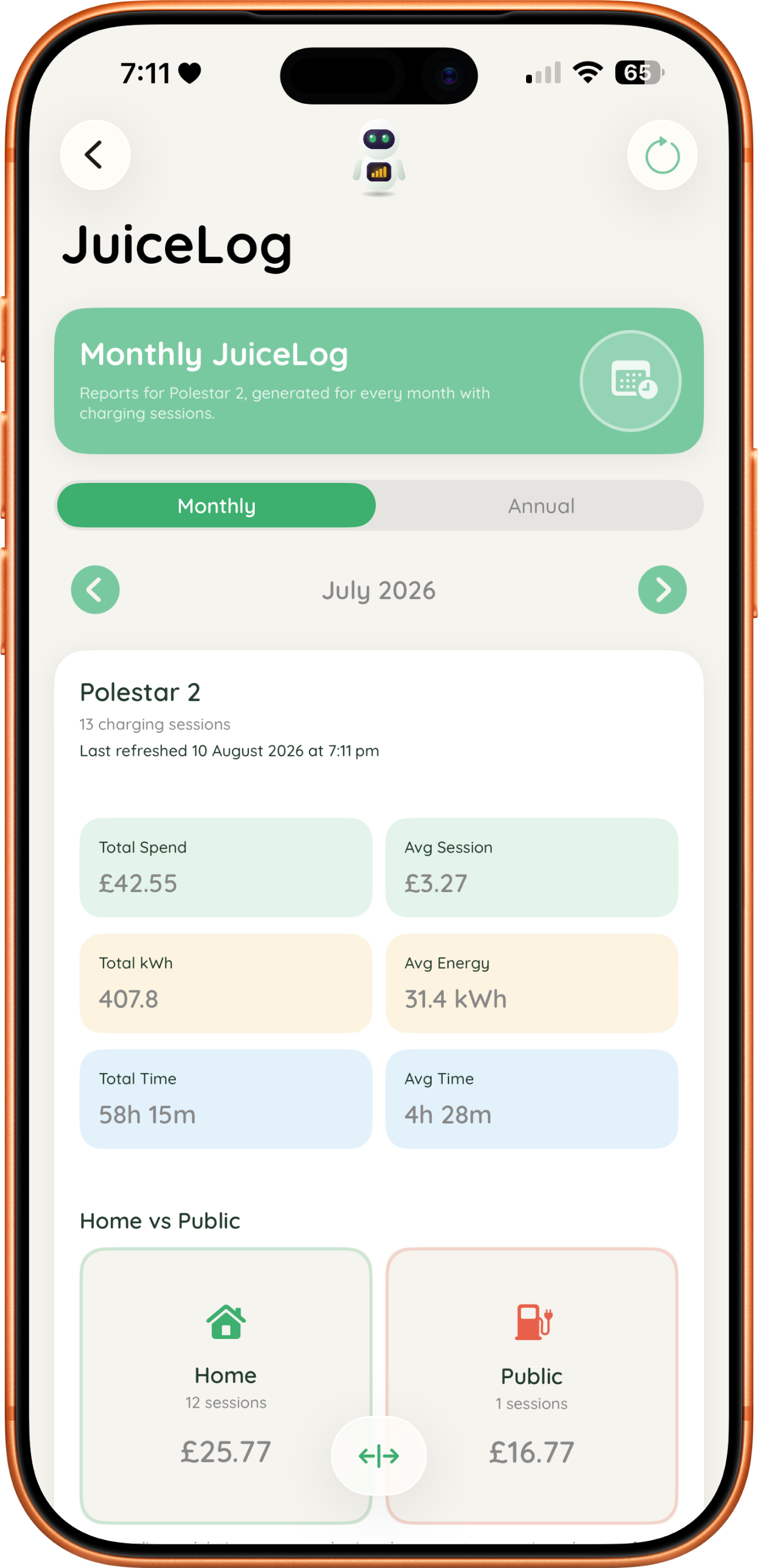
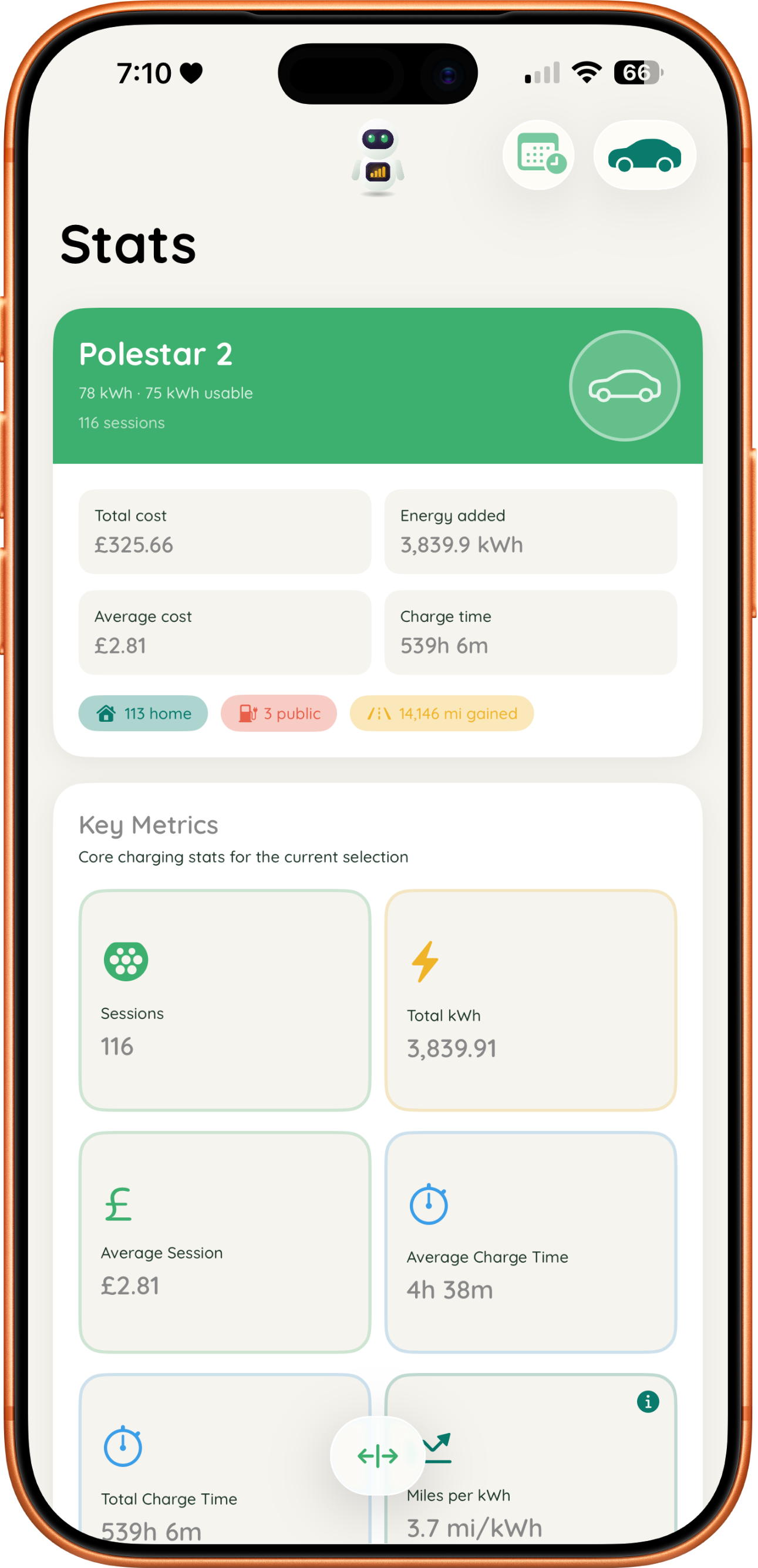
Average session cost, total charging time, and total kWh, right from day one.

Apple Watch companion app

Check your charging history right from your wrist, with freshly redesigned complications.

Coming soon

Pending Charge

Log a session the moment you plug in and add the kWh when it's done. Your charge lives on the Lock Screen, Dynamic Island, Apple Watch and CarPlay while it runs.

Coming soon

Running cost reminders

Add your MOT, service, road tax and insurance dates. JuiceBox reminds you 30 and 7 days before each one is due.

Coming soon

Peak & off-peak rates

Save both your electricity rates and tap to fill them when logging. Split Tariff divides a charge that ran across both.

Coming soon

Find sessions by date

Filter a vehicle's sessions to any date range. The calendar dots each day you charged for home or public.

Coming soon

Total distance tracked

Worked out from your first and last odometer readings, now free for everyone.

Coming soon

Have your say

Suggest features you want to see in JuiceBox and vote on everyone else's.

Coming soon

Solar & home battery

Say how much of a home charge came from your panels or battery. JuiceBox works out what it really cost, with solar free or at your export rate, and Stats shows how much came from the sun.

Coming soon

Fuel savings

See what charging has saved you against a typical petrol or diesel car. Set your local fuel prices for a closer comparison.

Coming soon

Update your odometer

Update a reading any time without logging a charge. JuiceBox spots a mistyped one, and can nudge you when it has not seen a reading for a while.

Coming soon

When you plugged in

Sessions keep the time a charge started. Drag round a 24-hour dial that shows your peak and off-peak hours, and home charges start at your off-peak time for you.

Coming soon

Your data, anywhere

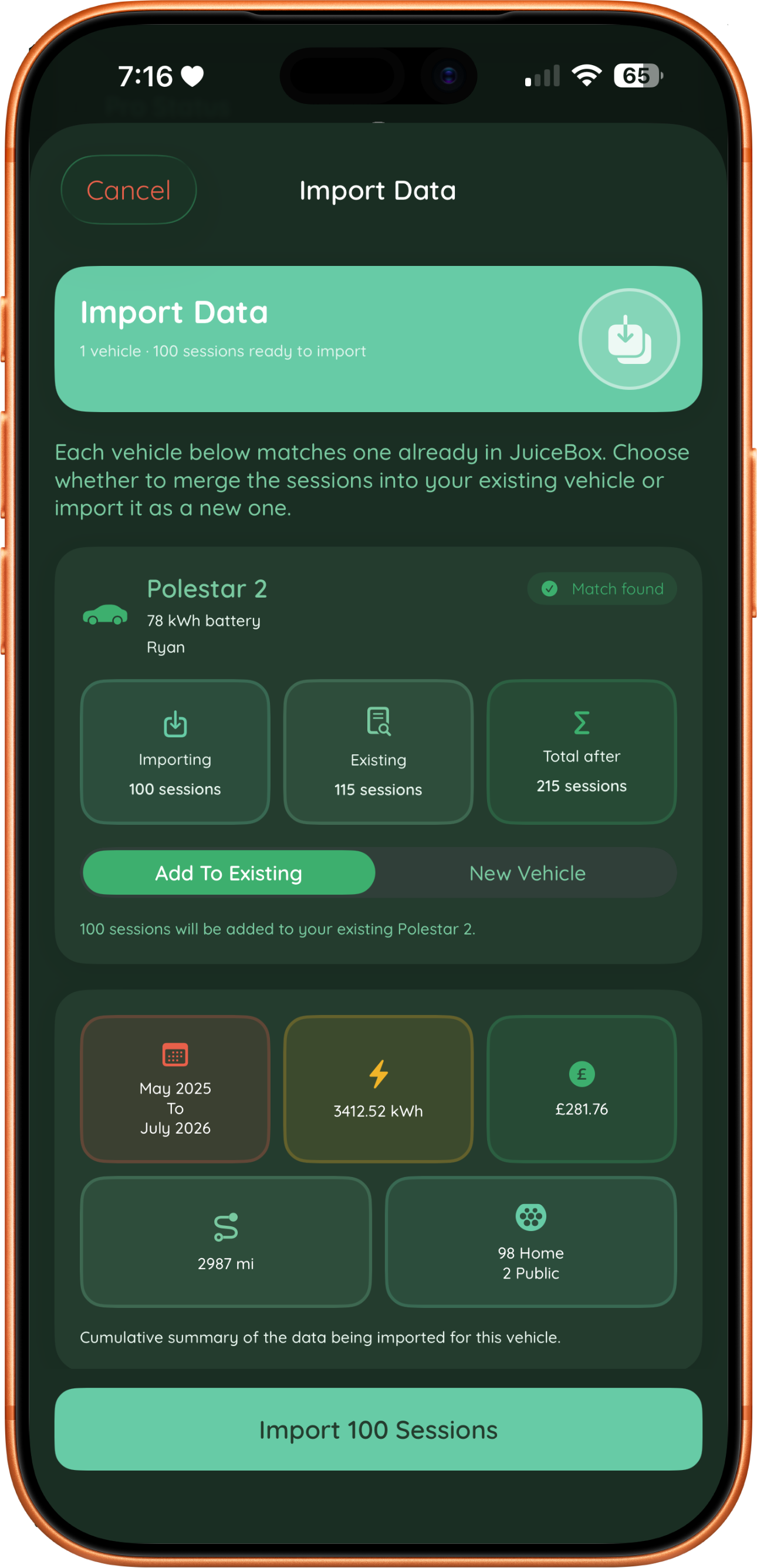
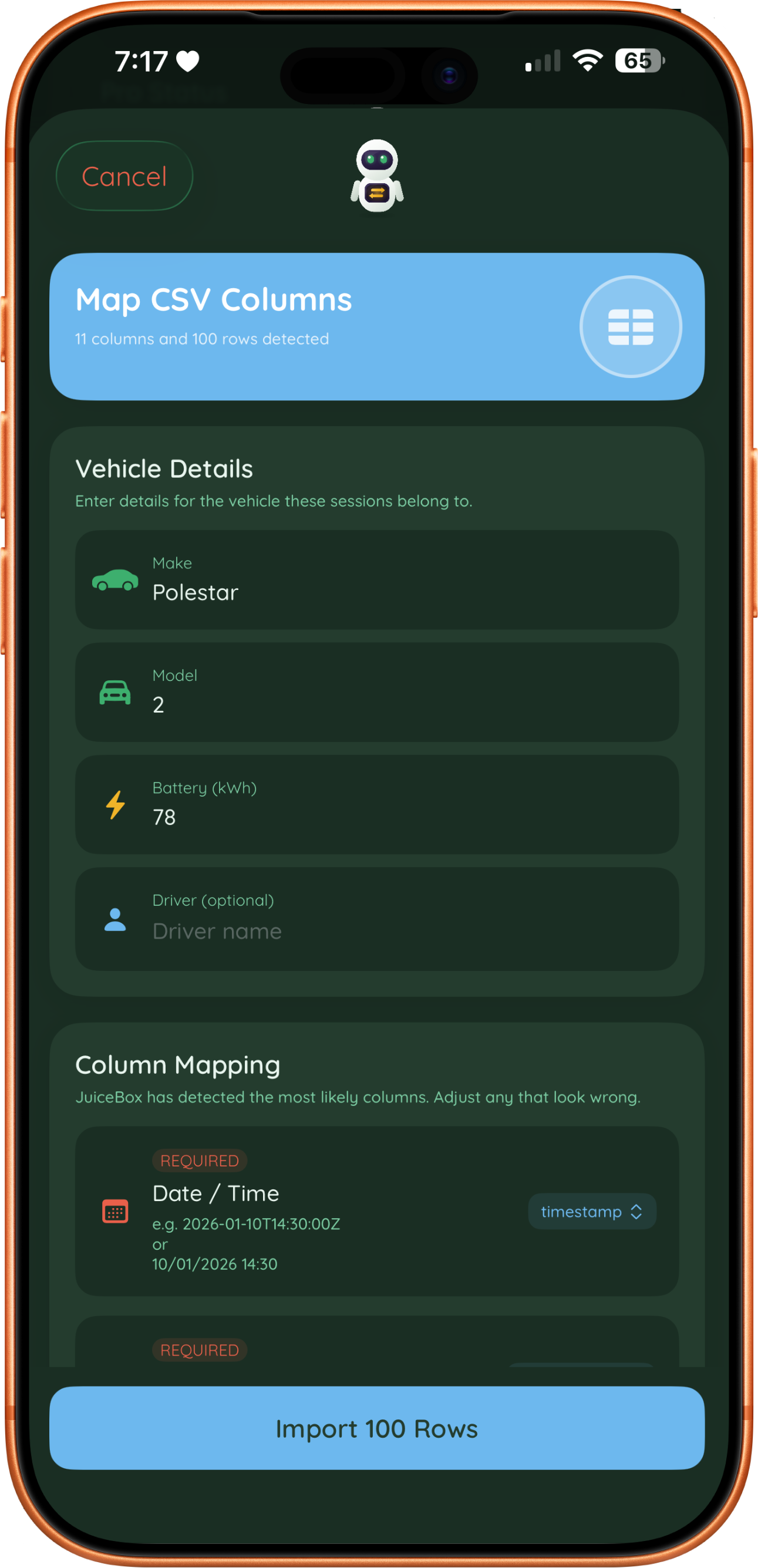
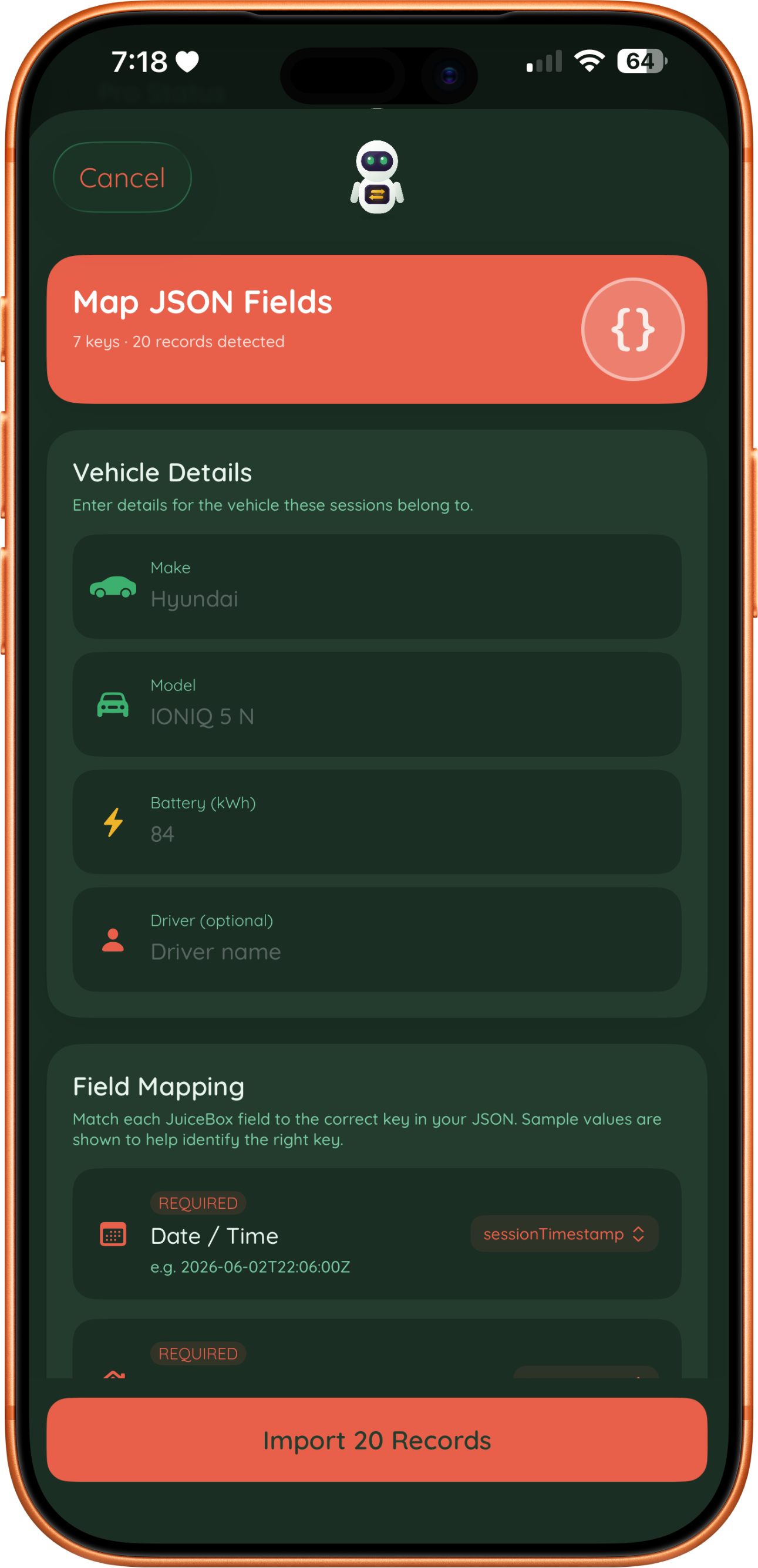
Import and export your charging history from a .jbx, CSV or JSON file. Now free for everyone.

Squeeze a little more juice

More power. More insight.

Unlock the full JuiceBox experience with Pro.

Features marked Coming soon arrive in JuiceBox 1.3

Multiple vehicle monitoring

Track up to three EVs, each with their own stats and history.

Journey & cost calculator

Estimate trip costs and see how you compare to petrol and diesel.

AI predictions

On-device AI predicts your next charge date, cost, and power needed.

Coming soon

Expense Log

Track services, repairs, road tax, insurance and finance. Monthly payments are recorded for you, so you see what your EV really costs to run, charging included.

Advanced stats

Unlock deeper stats including miles per kWh and cost per mile.

Coming soon

Flexi JuiceLog

See your stats and trends for any date range you choose, not just by month or year.

Coming soon

Reimbursement reports

Charging a company or salary sacrifice car at home? Generate a monthly PDF or CSV report for your employer, claiming the electricity cost or business mileage. Every report has its own reference and checks your readings and rates.
Inside the JuiceBox

Clean, fast, and actually useful

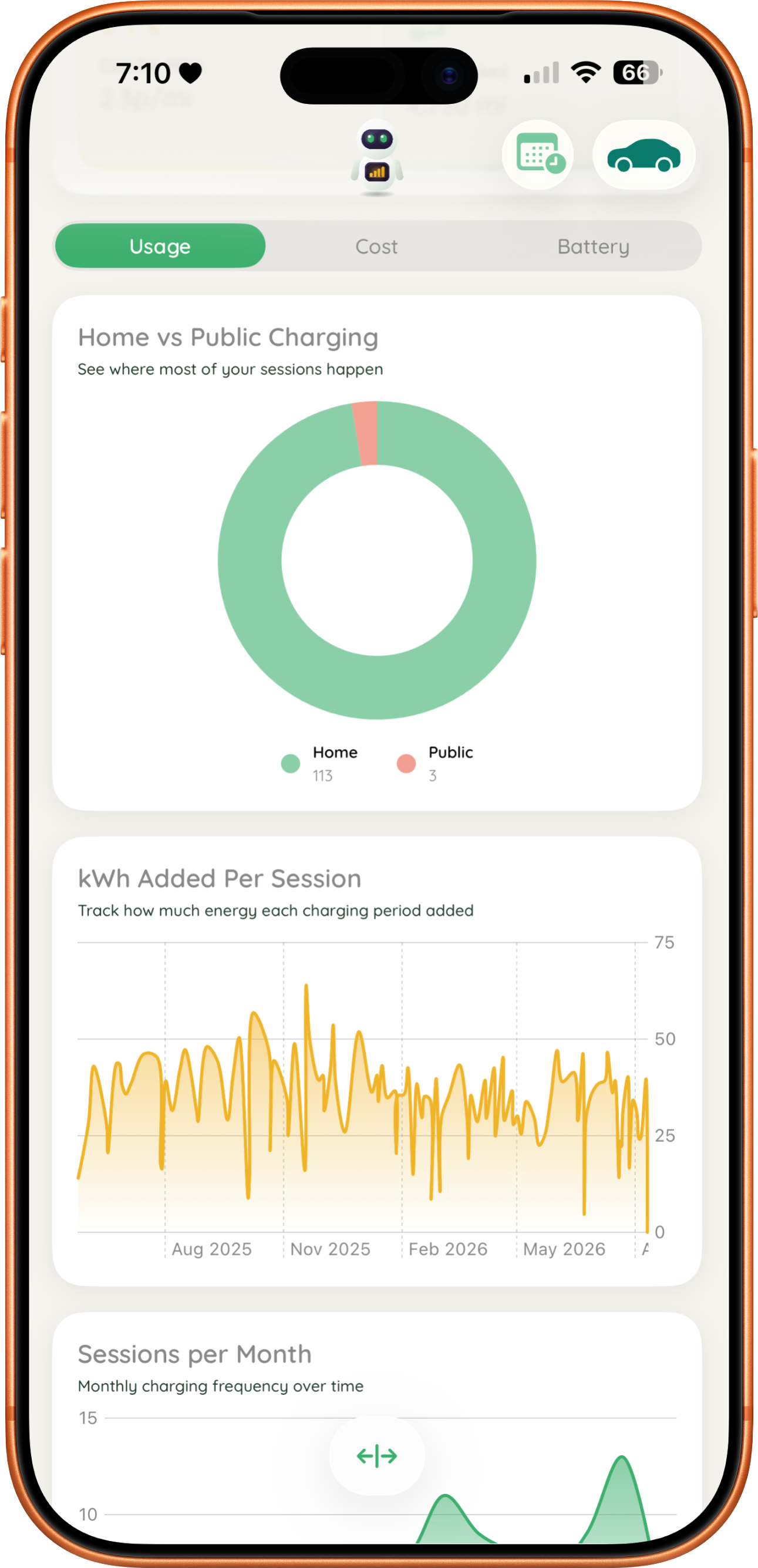
JuiceBox session history JuiceBox stats and metrics JuiceBox charts and graphs JuiceBox import JuiceBox import csv JuiceBox import json JuiceBox prediction JuiceBox JuiceLog JuiceBox widgets
How much for some juice?

Start free. Upgrade when you're ready.

JuiceBox

Free

Always will be. Ad-free as well, always.

  • One vehicle
  • Unlimited session logging Soon
  • Simple stats
  • Charge calculator
  • Pending Charge & Live Activity Soon
  • Running cost reminders Soon
  • Peak & off-peak rates Soon
  • Solar & home battery Soon
  • Fuel savings Soon
  • Import/export data Soon
  • Widgets
  • Apple Watch app

JuiceBox Pro

Starting from

£4.99/month

Pays for itself if it saves you one charge

or £49.99/year (save over 16%)
  • Everything in Free
  • Up to 3 vehicles
  • AI predictions
  • Journey & cost calculator
  • Expense Log Soon
  • Advanced stats
  • Flexi JuiceLog Soon
  • Reimbursement reports Soon
Questions

Frequently asked

JuiceBox currently runs on iPhone on iOS 26 or later. An iPad enhanced version is in the works and will be available soon.
Yes. All charging session data is stored on your device and synced only through your private iCloud account. No third party servers are involved in reading or storing your data.
From 1.3: nothing is deleted and nothing is hidden. Session logging becomes unlimited on the free tier, so your full history stays visible and your charts, stats, widgets and Apple Watch keep using every session you have logged. You go back to tracking one vehicle, and the Pro-only extras like AI predictions, the Expense Log and import/export are paused until you resubscribe.
Yes, and from 1.3 it is free for everyone. JuiceBox imports .jbx, CSV and JSON files and lets you map the columns to the right fields, so exports from other trackers or your own spreadsheet come across without retyping. You can export your data back out the same way.
No. JuiceBox is built around logging after the fact. Plug in, leave it overnight, and add the session whenever suits you. If you would rather start it there and then, from 1.3 you can tap Start Charge & Finish Later on a new session and your charge appears on the Lock Screen, Dynamic Island, Apple Watch and CarPlay while it runs. JuiceBox reminds you to add the kWh when the charge should be finished, and it waits on your Driveway until you do.
Costs are calculated from the rates and figures you enter, so they are as accurate as your inputs. Predictions are estimates from your own charging patterns and get better the more sessions you log. Treat them as a guide rather than a guarantee.
Yes, from 1.3. Save your peak and off-peak rates in Settings under Electric Tariff and they turn into quick fill buttons when you log a session. Start a Pending Charge and JuiceBox works out when your charge actually starts and finishes from your off-peak hours, or from your ready-by time if you are on a smart EV tariff. If a home charge straddled both rates, turn on Split Tariff to divide the kWh between them and get the true cost.
Yes, from 1.3. Open a vehicle in Driveway and choose Running Costs to add your MOT, service, road tax and insurance dates. You get reminders 30 and 7 days before each is due, and the next one shows on your Driveway card. Services can be set by date, by distance, or whichever comes first. With Pro, the Expense Log also tracks services, repairs, tax, insurance and finance, recording your monthly payments so you can see what your EV really costs to run with charging included.
Yes, from 1.3 with Pro. If you charge a company or salary sacrifice car at home, JuiceBox generates a monthly PDF or CSV reimbursement report for your employer. You can claim either the electricity cost or your business mileage, plus any other expenses. Each report carries its own reference and checks your readings and rates, so the numbers stand up to scrutiny.
Yes. JuiceBox does not connect to your car, so it is not tied to a particular make or model. You enter your battery size and charging details once, which means any EV or plug-in hybrid works, including one your manufacturer's own app does not support well.